TABLE OF CONTENTS
As an instructor, set a minimum score requirement on a quiz or course. Learners will need to earn at least the minimum score required to receive quiz credit or the course certificate.
How to Set a Minimum Score Requirement on a Quiz
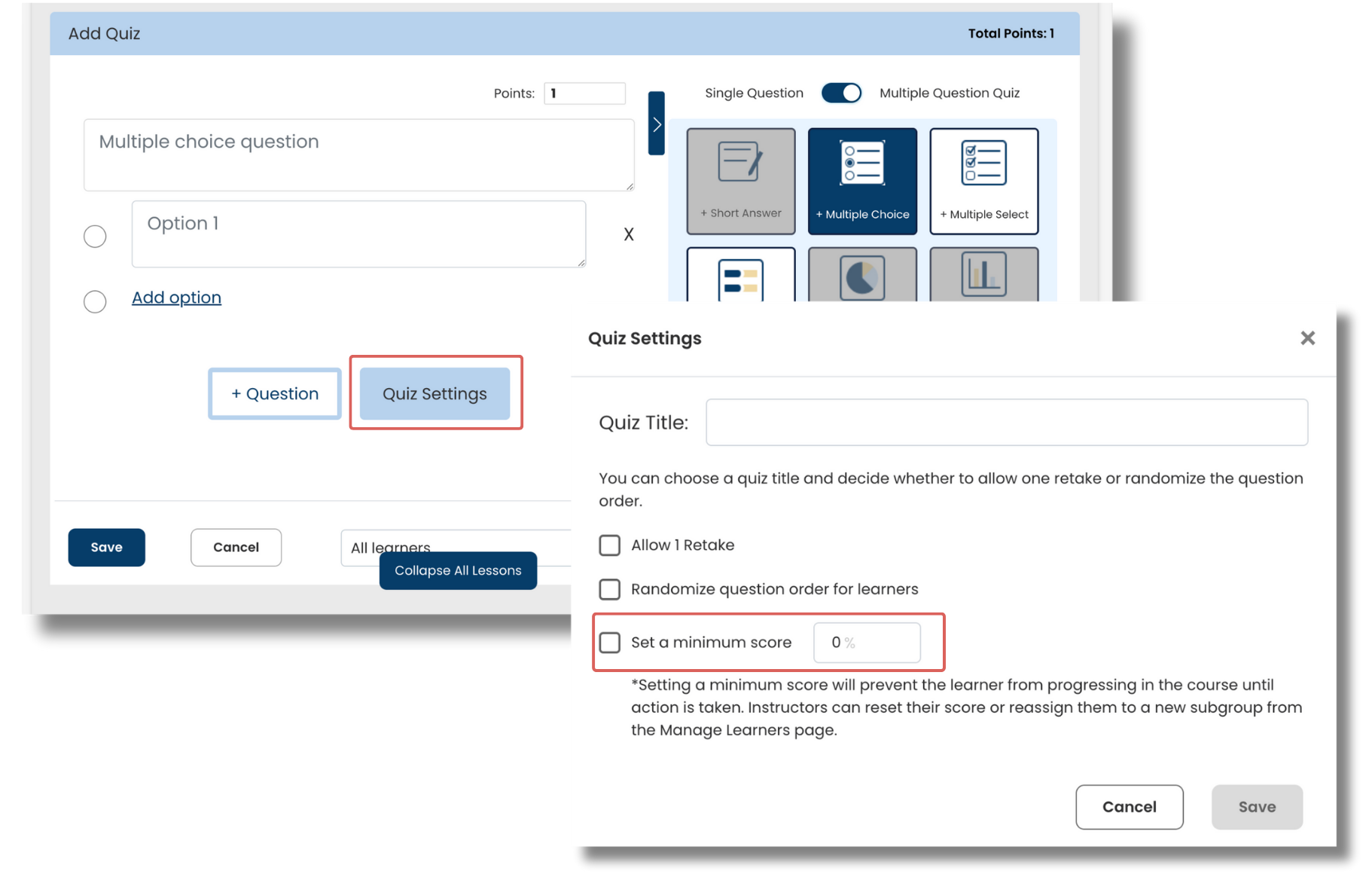
1. Create a Multi-Question Quiz
2. Select 'Quiz Settings'
3. Set a minimum score requirement
Any learner who does not meet the minimum score requirement will need their progress to be reset by an instructor.
- Tip: Allow one retake to allow learners to re-attempt the quiz without needing an instructor to reset the quiz until after the second quiz attempt.
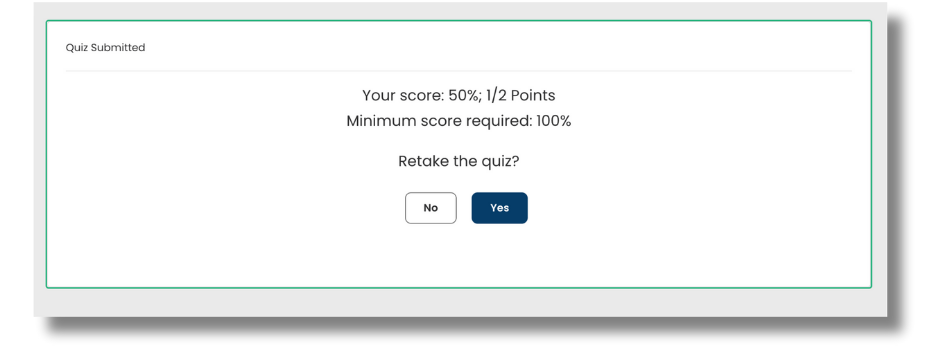
- When Allow 1 Retake is enabled. After completing their first attempt, learners will see their overall score and can choose to retake the quiz. If the learner does not meet the minimum score requirement on their second attempt, they'll need an instructor to reset the quiz.
- Learn more about how to use minimum score requirements to assess learner mastery here.
How to Set a Minimum Score Requirement on a Course
1. Add a certificate to the course
2. Set a minimum score requirement
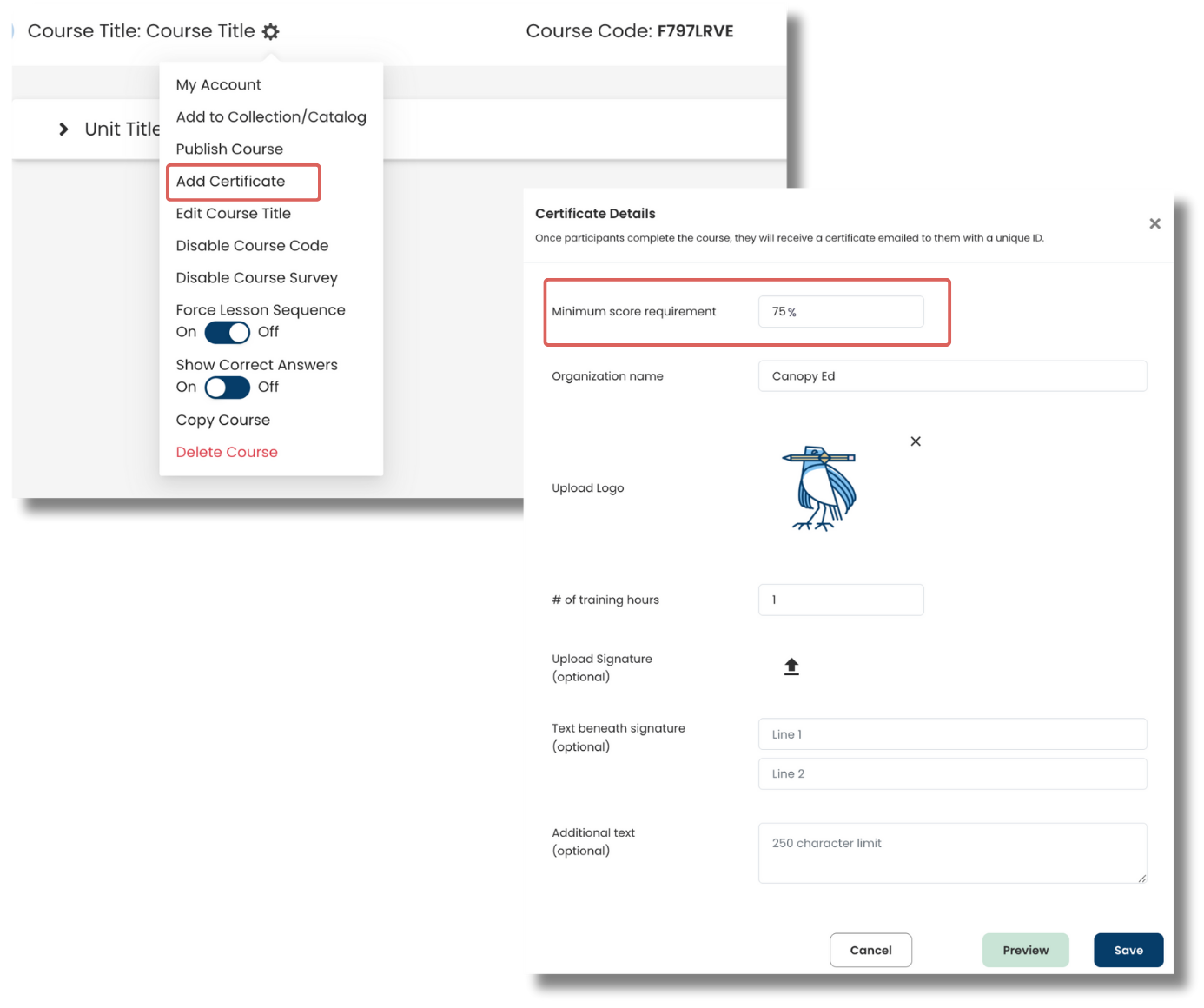
Any learner who does not meet the minimum score requirement will not earn the course certificate.
Note: Ensure activities in the course have points attached.
An instructor can reset learner progress on any activity to allow the learner to re-attempt. Once the learner meets the minimum score requirement, the course certificate will be available to download from their My Account page.
Was this article helpful?
That’s Great!
Thank you for your feedback
Sorry! We couldn't be helpful
Thank you for your feedback
Feedback sent
We appreciate your effort and will try to fix the article