TABLE OF CONTENTS
The Primary Organization Admin can view the current billing details and make changes as needed.
Manage Billing & Renewal
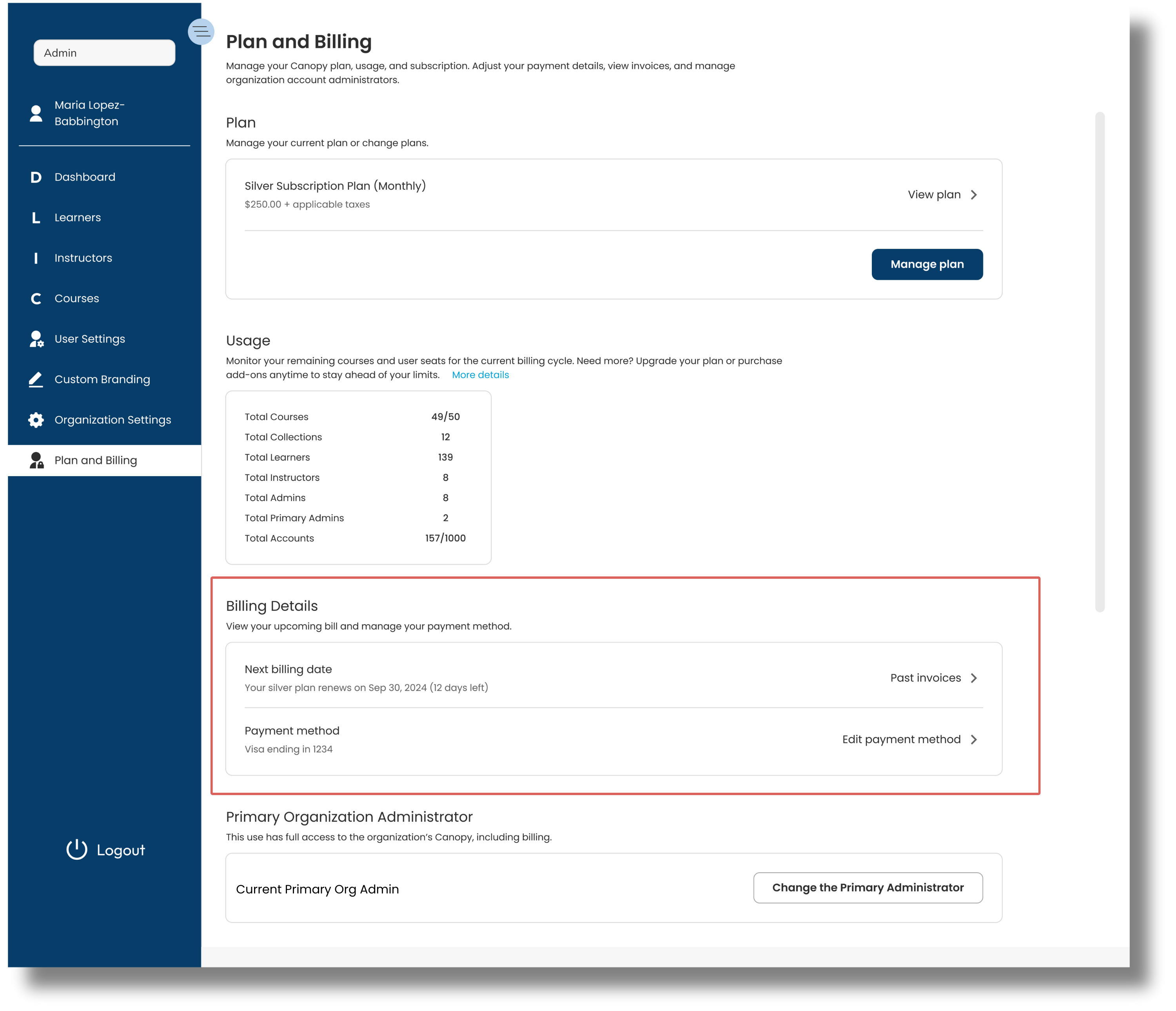
From the Billing Details section, view your upcoming bill, past invoices, and manage your payment method. Your Canopy subscription will automatically renew on the date listed in the Next Billing Date section.
Click image to enlarge.
Download Invoices
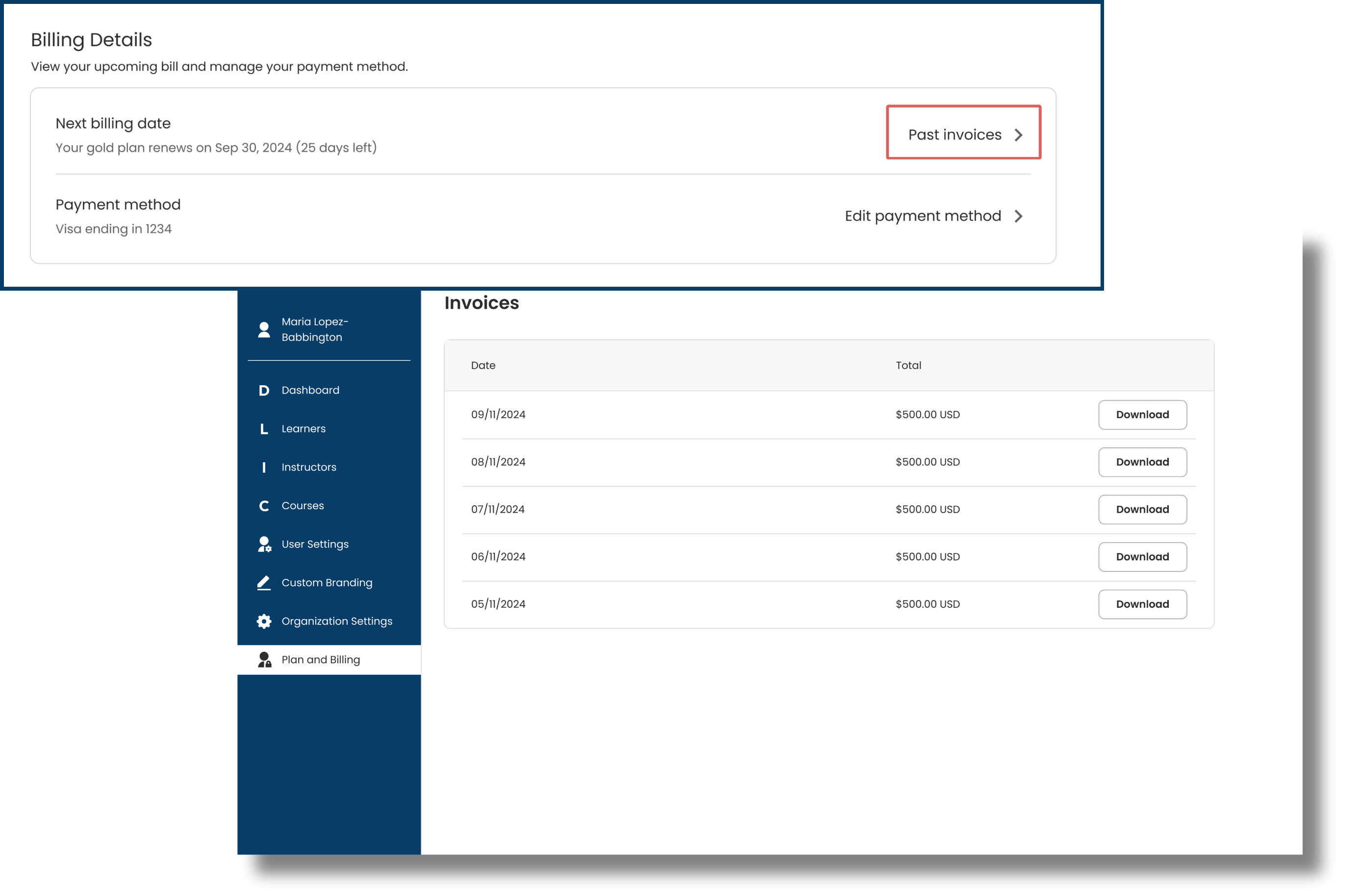
View and download past invoices by selecting 'View past invoices' and 'Download' for each invoice date. The invoices are organized by billing dates.
 Click image to enlarge.
Update Payment Information
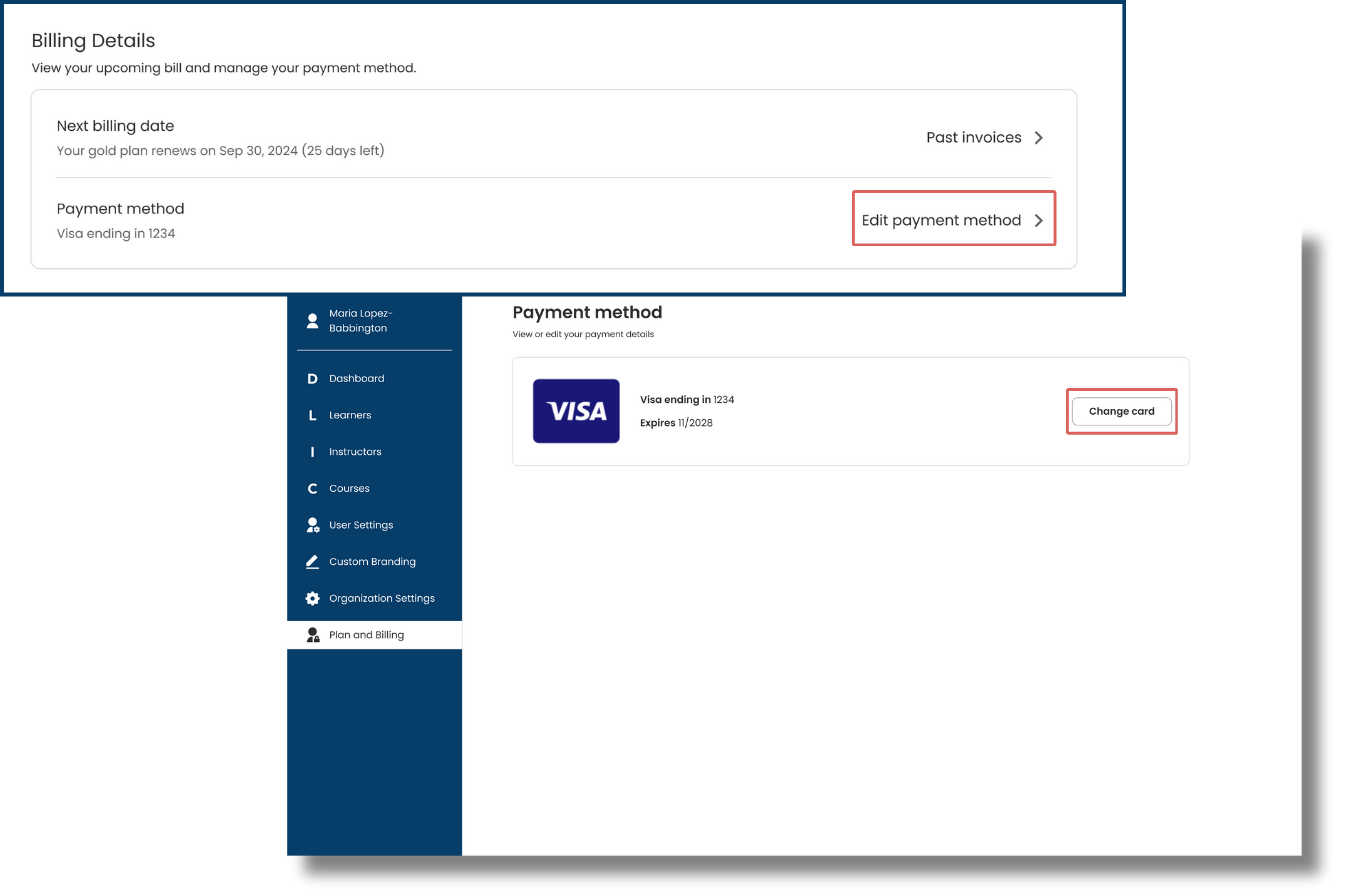
Manage your payment method by selecting 'Edit payment method'. We recommend ensuring your payment information is up to date prior to your scheduled renewal date.
From here you will see your current card on file and can update the card details by choosing 'Change Card'.
Click image to enlarge.
Was this article helpful?
That’s Great!
Thank you for your feedback
Sorry! We couldn't be helpful
Thank you for your feedback
Feedback sent
We appreciate your effort and will try to fix the article